
The built in Windows tool takes a screenshot and stops there. ShareX captures, records video, makes GIFs, pulls text out of images, uploads and hands you the link. All free.
It is a favorite among creators and developers, and still unknown to most people. If you capture your screen daily, it changes how you work.
What is ShareX?
ShareX is a free, open source screenshot and screen recording tool. Its real power is what happens after the capture: you decide the chain (edit, save, upload, copy link) and it all runs from one shortcut.
What it does
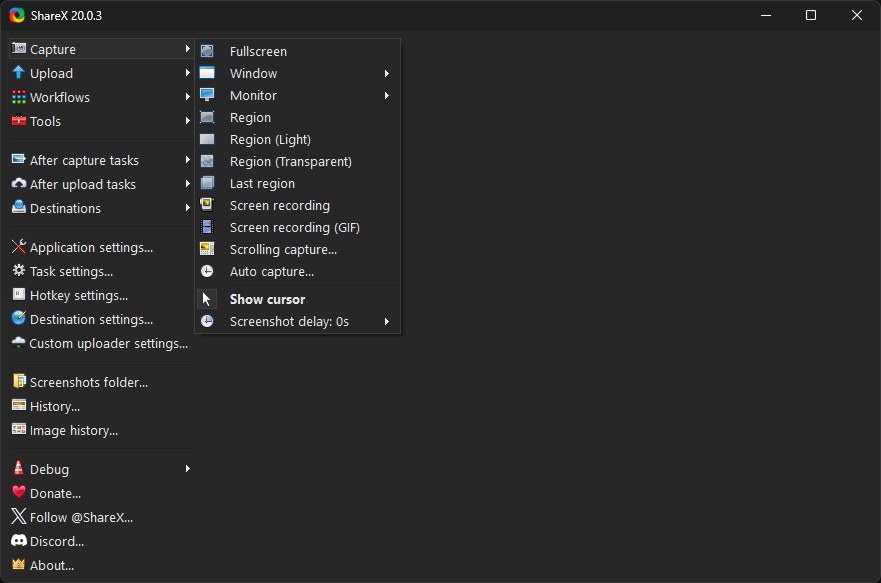
- Flexible capture: region, window, full screen, or a full scrolling web page.
- Video and GIF recording: record part of your screen and export a GIF directly.
- OCR: pull copyable text out of any image.
- Quick editor: arrows, blur for sensitive data, step numbers, text.
- Auto upload: uploads the capture and copies the link for you.
Getting started
- Download and install ShareX.
- Set a capture hotkey (Print Screen works well).
- Under After capture tasks pick what happens next: open editor, copy image, or upload.
- Take your first capture and watch the whole chain run in one press.
Why it beats the built in tool
The Windows tool gives you an image and stops. ShareX handles capture, annotation, organized saving, upload and link copying. If you send screenshots all day, that is minutes saved every time.
FAQ
Free? Any ads?
Completely free and open source, no ads, no paid tier.
Does it record audio?
Yes, system audio or your mic, using FFmpeg under the hood.
Too complex for beginners?
There are many options, but the defaults are fine. Learn one hotkey and go.
Related tools
Want to move those captures to your phone instantly? Use PairDrop.
Note: Auto upload is off for some destinations by default. Configure it under Destinations if you want an instant link.
Bottom line
One app replaces the snipping tool, a screen recorder and a quick editor. Free, and one of the strongest Windows tools out there.
Link : getsharex.com


