
1.1.1.1 is a free app from Cloudflare that combines faster browsing with better privacy in one simple app, built on fast DNS with an optional lightweight VPN-like layer known as WARP.
What is the 1.1.1.1 app?
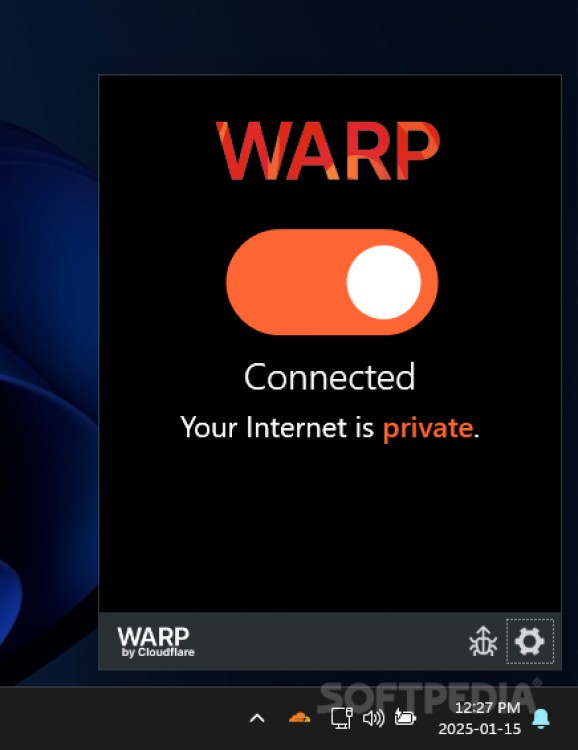
1.1.1.1 is the name of Cloudflare’s fast public DNS service, and the app shares that name because it’s built on top of it. When you enable WARP mode inside the app, your connection becomes an encrypted tunnel between your device and Cloudflare’s servers, hiding your browsing data from your ISP and protecting you on unsecured public networks.
Why use it?
If your internet feels unreasonably slow despite a fast subscription, or you use public Wi-Fi (cafes, airports) and worry about your data’s privacy, this app is a simple, free solution that addresses both problems at once with no complexity.
Key Features
- Completely free for basic use with no annoying data caps.
- Potential browsing speed boost via fast DNS and better-routed traffic.
- Encrypted connection in WARP mode, especially useful on public Wi-Fi.
- Easy to use – a single on/off switch with no complicated settings.
- Works on every device: Windows, macOS, Android, iOS, and Linux.
Pros
- Completely free with no hidden fees for normal use.
- A very simple interface that suits even non-technical users.
- Noticeably improves privacy on untrusted public networks.
- Built by a well-known, trusted company (Cloudflare) with a solid transparency track record around user data.
Cons
- It’s not a full VPN in the sense of changing your apparent location – the goal here is privacy and speed, not bypassing geo-restrictions.
- The speed improvement depends on your location and local network quality, and may not be noticeable for everyone.
- Some corporate or university networks may block or conflict with the WARP protocol.
Installation & Setup
- Download the app from the official site, one.one.one.one, or your device’s app store.
- Install and open the app.
- Turn on the main toggle to activate the base 1.1.1.1 fast DNS service.
- If you want the extra protection layer, enable WARP mode from within the app’s settings.
- Watch your speed before and after enabling it to see the actual difference on your specific network.
Tips for Best Use
- Turn on WARP mode specifically when connecting to public Wi-Fi for extra protection.
- If you notice conflicts with your work or university network, try disabling WARP and sticking to the base DNS service only.
- Check the “Family” settings inside the app if you want to block certain content at the network level as an extra layer of protection for kids.
Alternatives Worth Comparing
If you want a full VPN that changes your apparent location, apps like “ProtonVPN” offer that in their free tier, though usually slower and more limited on the free plan. If your goal is specifically fast, secure DNS without a VPN layer, manually setting your network’s DNS to Cloudflare (1.1.1.1) or Google (8.8.8.8) directly is a simpler option without installing a full app.
FAQ
Does WARP ever slow down the connection instead of speeding it up?
In rare cases, yes – especially if your local network already handles the direct path well. Testing it yourself is the only way to know the actual result on your network.
Does Cloudflare collect my personal data?
Cloudflare publishes a public privacy policy and undergoes periodic independent audits confirming it doesn’t sell user data, but reading the current privacy policy yourself is always a wise move.
Does it work on mobile?
Yes, it’s available on Android and iOS with the same core functionality.
Conclusion
Cloudflare’s 1.1.1.1 is a simple, free option worth trying for anyone who wants better privacy on public networks or to test whether faster DNS makes a real difference on their connection. Setup takes under two minutes, and rolling it back is just as easy if it’s not for you.


