
Vesktop is a modified Discord desktop client, built on top of the Vencord project, aimed at delivering a lighter experience on resource usage while keeping all of Discord’s core functionality intact.
What is Vesktop?
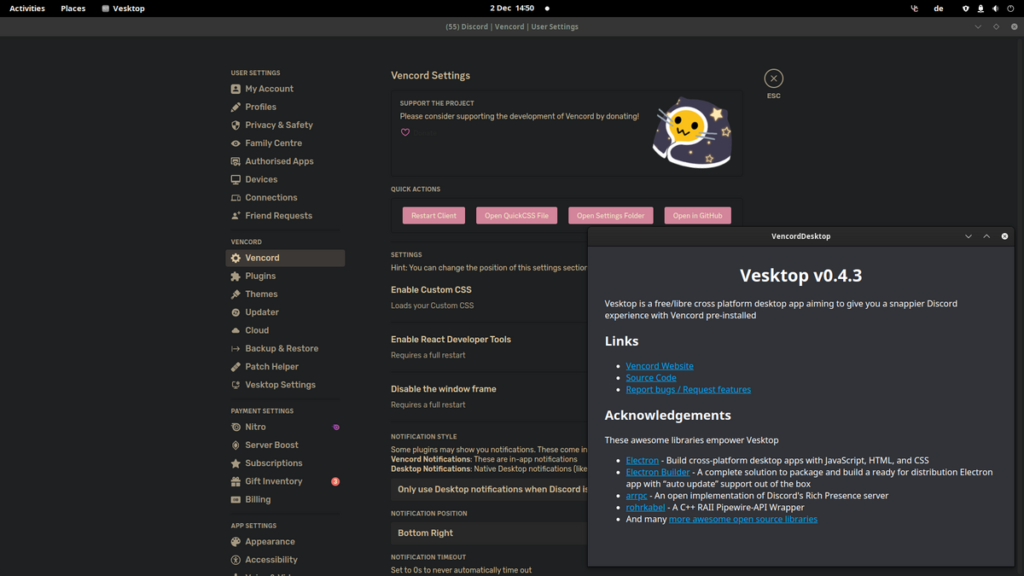
It’s an alternative desktop client for Discord, built with different underlying technology than the official app (using a lighter framework instead of the traditional Electron setup Discord’s official client relies on), which makes it use noticeably less memory and CPU, especially on weaker hardware. It ships bundled with Vencord, a project that adds custom themes and plugins not available in the official version.
Why try it?
If the official Discord app eats up a lot of memory on your machine and slows things down during gaming or work, or if you’re after interface customization the official app simply doesn’t offer (extra themes, hiding certain elements, additional community-built features), Vesktop solves both problems at once.
Key Features
- Lower resource usage compared to the official app, with a noticeable difference in some cases.
- Direct Vencord integration for custom plugins and themes without a separate install step.
- Same login and account used on official Discord – no new account needed.
- Improved screen-sharing quality on some systems compared to the official client.
- Fully open source, so every modification is transparent and auditable.
Pros
- Noticeably lighter performance on resource-constrained machines.
- Far more customization freedom than the official app.
- Free and fully open source.
- Keeps you connected to the same friends and servers on Discord without any change.
Cons
- Being unofficial, some new Discord features might arrive slightly later than on the original app.
- Using very advanced Vencord plugins (especially ones altering server-connection behavior) can occasionally brush against Discord’s terms of use in rare cases, so caution is advised when enabling untrusted, poorly-documented plugins.
- Technical support relies on the open-source community rather than official commercial support from Discord itself.
Installation
- Go to the official Vesktop repository on GitHub.
- Download the build for your OS (Windows, macOS, or Linux).
- Install it the normal way for your platform.
- Open Vesktop and log in with the same Discord account you already use.
- From settings, browse the Vencord tab to enable the themes and plugins you want.
Tips for Best Use
- Only enable plugins whose function you clearly understand, and avoid poorly-documented plugins from unknown sources.
- Watch memory usage before and after switching from official Discord to see the actual difference on your machine.
- Update the app regularly to stay compatible with the latest Discord updates.
Alternatives
If you don’t want to leave the official app at all but want better performance, enabling “Hardware Acceleration” and closing unused server tabs in official Discord improves performance somewhat. If your goal is specifically interface customization, you can install Vencord directly on top of the official Discord app instead of using a full alternative client like Vesktop.
FAQ
Is using Vesktop safe, or could it get my account banned?
Vesktop and Vencord’s core plugins are designed to avoid directly violating Discord’s terms, but as with any unofficial client, caution when enabling advanced, undocumented plugins remains your responsibility.
Do I lose any data or conversations when switching?
No, all your data lives on Discord’s own servers – Vesktop is just an alternative interface for accessing it.
Does it work on mobile?
No, Vesktop is desktop-only (Windows, macOS, and Linux).
Conclusion
Vesktop is an excellent choice for Discord users who want lighter performance and more customization without giving up their existing network of friends and servers. Installation is easy, and you can switch back at any time without losing any data.
Link: Vesktop


