

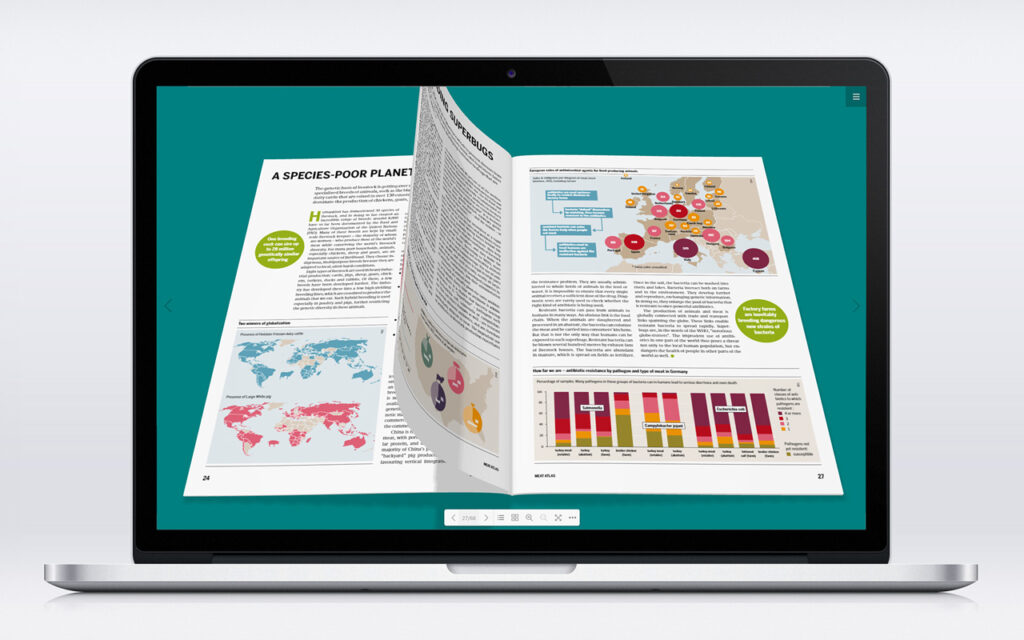
DearFlip is a tool that turns any regular PDF file into an interactive 3D flipbook with a realistic page-turning effect, running directly in the browser with nothing to install on your device.
What is DearFlip?
It’s a web library (and also a WordPress plugin) that takes a regular PDF file and turns it into an interactive viewer simulating the feel of flipping through a real book’s pages, with smooth zooming and page navigation. It’s commonly used to display catalogs, digital magazines, and brochures in a way that’s far more engaging than a static, traditional PDF display.
Why use it?
A regular PDF opens as flat, lifeless pages, while DearFlip adds an interactive layer that makes reading feel closer to flipping through an actual book or magazine. It’s especially useful for businesses that want to showcase a product catalog, or anyone who wants to share a magazine or report in a more polished way than just a plain PDF download link.
Key Features
- Realistic 3D page-flip effect that mimics a paper book.
- Runs directly in the browser with nothing to install on the visitor’s device.
- Mobile responsive – works smoothly on small screens too.
- Supports links and search within the displayed PDF content.
- Free, open-source version alongside a paid tier with additional advanced features.
Pros
- Noticeably raises the professionalism of how any PDF document is presented.
- The base version is free and fully open source.
- Easy to embed in a WordPress site via the ready-made plugin.
- An enjoyable user experience that encourages visitors to browse the full content instead of ignoring it.
Cons
- The free version limits some advanced features (like detailed analytics) to the paid tier only.
- Embedding it outside WordPress (on a custom-coded site) requires a bit of technical know-how.
- Very large PDF files may take longer to load inside the viewer.
How to Use It
- If your site runs on WordPress, install the DearFlip plugin directly from the official plugin directory.
- Upload the PDF you want to display through the plugin’s dashboard.
- Place the shortcode the plugin generates into any page or post where you want the interactive book to appear.
- If you’re running a custom-coded site, download the DearFlip library from GitHub and embed it manually per the project’s documentation.
Tips for Best Use
- Compress your PDF before uploading (using free PDF compression tools) to speed up the viewer’s load time.
- Test the display on both mobile and desktop before final publishing to confirm proper responsiveness.
- Use clear, organized file names if you’re displaying multiple catalogs on the same site.
Alternatives
“Flipsnack” and “Issuu” are ready-made platforms offering a similar experience as a cloud service instead of installing a library on your own site, but their free tiers typically limit the number of publications or add a watermark on the free version.
FAQ
Do I need coding knowledge to use DearFlip?
If you’re on WordPress, no – the plugin provides a full graphical interface with zero code required.
Does it work in every browser?
Yes, it relies on standard web technologies (JavaScript and HTML5) supported across all modern browsers.
Is the free version enough for personal use or a small business?
In most cases, yes – upgrading to the paid tier only makes sense when you need advanced analytics or deeper customization.
Conclusion
DearFlip is a simple, free way to elevate PDF presentation from flat pages to an interactive, book-like experience. It’s a great fit for site owners who want to showcase catalogs or digital magazines with a more professional touch.
Link: DearFlip


