This article is a practical, step-by-step guide to building a complete game inside Rosebud AI from scratch – from the first idea to a playable game you can share with others, starting with a single text prompt.
What is Rosebud AI?
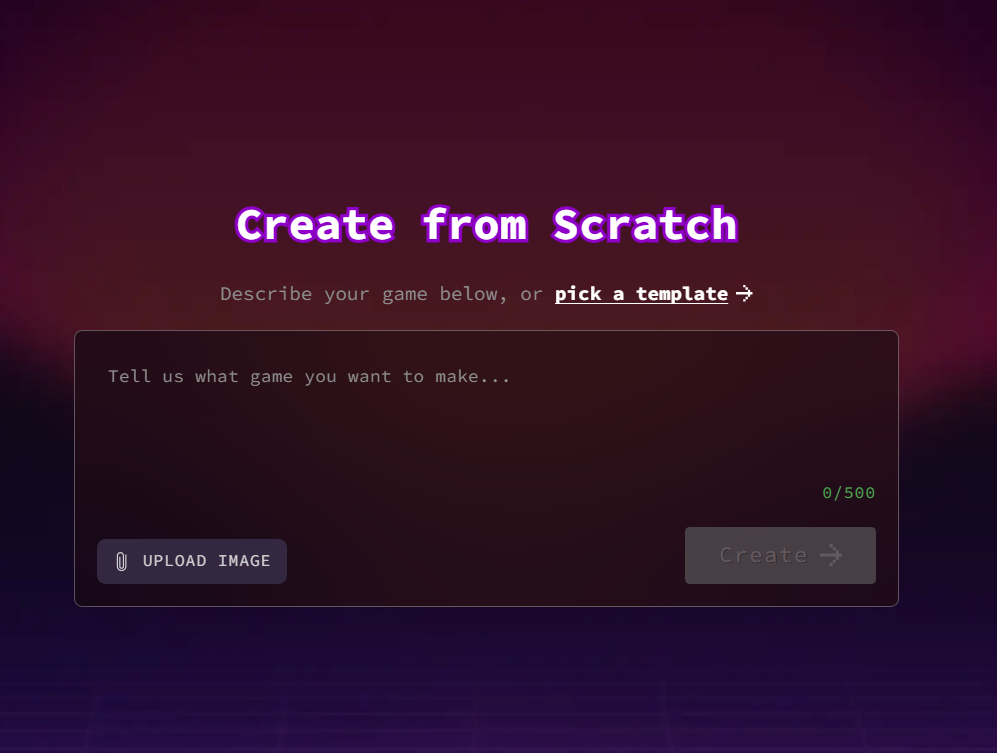
It’s an AI platform that generates complete, playable games directly from a text description you write. Instead of learning a programming language or a complex game engine like Unity or Unreal Engine, you describe your game idea in a sentence or paragraph, and the platform automatically builds the code, basic graphics, and rules – then you can gradually refine and expand the result with more text prompts.
Why focus specifically on building a full game?
Many similar tools give you a shallow, limited demo, but the real value shows up when you take an idea from zero and develop it gradually into a complete game with clear rules, gradual difficulty, and an end screen. This guide focuses specifically on that full journey, not just a quick trial.
Steps to Build a Game from Scratch
- Define your game idea clearly before writing any prompt: the genre (platformer, puzzle, racing), the player’s core goal, and the intended controls.
- Write your first prompt as a direct sentence describing the whole game, e.g.: “A 2D platformer where a hero jumps between floating platforms, collects gold coins, and avoids spikes.”
- Review the initial result the platform generates and play through it to confirm the core mechanic works as you envisioned.
- Iterate with additional prompts: add a moving enemy, change the background color, add a score counter, add a “Game Over” screen.
- Test after every single change instead of stacking multiple requests at once, so you can track exactly which change affected what in the game.
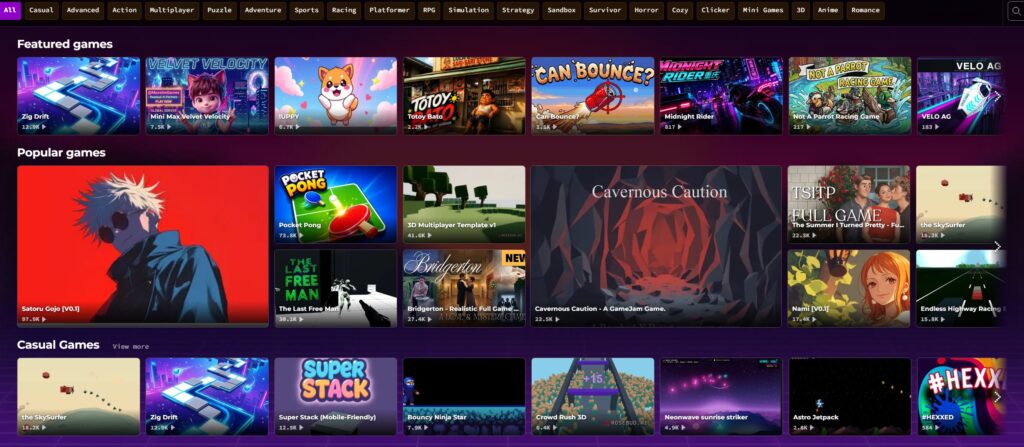
- Share the final link with friends or post it publicly to get outside feedback before calling it done.
Key Features That Help While Building
- Fast iterative editing – every new prompt modifies the current game instead of starting over.
- Instant playable preview after nearly every change.
- No prior coding experience needed to build a genuinely working game.
- Easy sharing of the final result via a direct link.
Pros
- Massively shortens the distance between an idea and a playable result.
- Excellent for learning game-design logic without the barrier of learning to code first.
- Iterative editing makes trial and error fast and low-cost.
Cons
- Resulting games are usually fairly simple, suited for prototypes or experimental games – not a substitute for a professional game engine in a large commercial project.
- Vague or overly complex descriptions crammed into one prompt can produce unexpected results, so clarity at each step matters a lot.
- Fine-grained control over code details (for those who actually know how to program) is limited compared to writing code by hand in a traditional engine.
Tips for Better Results
- Write clear, specific prompts instead of vague general descriptions – the more precise the description, the closer the result to what you envisioned.
- Change one thing at a time instead of requesting several changes at once, to avoid conflicting results that are hard to trace back to a cause.
- Keep a copy of every important stage you liked, in case a later edit breaks something that was working well.
Alternatives Worth Comparing
If you want full programmatic control and have some experience, “Construct” or “GDevelop” are traditional no-code game engines (not built on generative AI) that give you finer control over details, at the cost of a slightly longer learning curve than simply writing a text prompt.
FAQ
Do I need coding experience to build a complete game?
No – the core goal of Rosebud AI is to let people who don’t code build an actual working game using nothing but text descriptions.
How long does building a simple, complete game take?
It depends on how complex your idea is, but a simple, playable prototype can typically be reached in one relatively short session through several consecutive edits.
Can I export the final game outside the platform?
It depends on the platform’s policy at the time of use – some similar tools allow export, while others keep the game tied to their platform for sharing via a link only.
Conclusion
Building a complete game in Rosebud AI is a fun, fast journey that shows you how game designers think without needing to learn programming first. Follow the steps gradually, change a little at a time, and don’t hesitate to try odd ideas – the cost is very low and the learning is fast.
Link: Rosebud AI