TasteDive is a simple site that solves a problem we all know: you loved a movie, show, or album, and you’re hunting for something that “feels like it” – but you don’t know where to even start looking.
What is TasteDive?
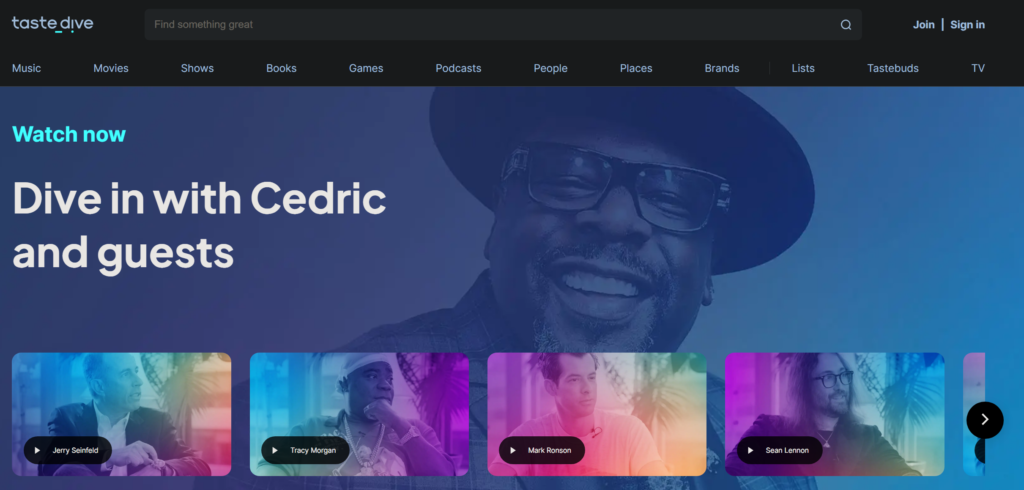
It’s a taste-based recommendation engine: type in the name of a movie, show, song, or book you love, and the site suggests similar content based on smart analysis of similarity patterns across millions of titles. It spans several categories – movies, shows, music, books, and even video games – all in one simple site.
Why use it?
Recommendation algorithms on major streaming platforms (Netflix, for instance) are usually limited to their own catalog, so what they suggest is bound by what’s available specifically on that platform. TasteDive doesn’t care where the content is available – it focuses purely on artistic and thematic similarity, opening up far wider options than any single platform’s boundaries.
Key Features
- Recommendations across multiple categories: movies, shows, music, books, games.
- Not tied to any streaming platform – recommendations are based purely on artistic similarity.
- Simple, fast interface with no complexity or lengthy account setup.
- Accepts multiple inputs at once to sharpen recommendation accuracy (e.g., enter 3 movies you love together).
- Completely free for basic use.
Pros
- Widens your discovery horizon instead of looping within a single platform’s boundaries.
- Fast and simple – instant results with no complicated signup.
- Covers multiple categories instead of specializing narrowly in just one.
- Great for fans who enjoy discovering lesser-known titles that genuinely match what they already love.
Cons
- It doesn’t tell you directly where to watch or listen to the suggested content – it focuses on “what,” not “where.”
- Recommendation quality depends on how well-known the title you entered is; very obscure titles may return less accurate results.
- The interface is simple enough that it can feel a bit dated compared to more interactive modern platforms.
How to Use It
- Open the TasteDive site in your browser.
- Type in the name of a movie, show, song, or book you love in the search box.
- Add one or two more titles if you want more precise results based on a blend of your tastes.
- Browse the resulting suggestion list, looking for titles unfamiliar to you.
- Search for the suggested title on your preferred platform (Netflix, Spotify, or others) to watch or listen.
Tips for Best Use
- Enter more than one title in the same search for more accurate and varied recommendations.
- Try different categories (music instead of movies, for instance) even if your main interest is one category – you might discover interesting links between your different tastes.
- Don’t settle for the first suggestion – browse the full list, since lesser-known titles are often the most exciting discoveries.
Alternatives
“Letterboxd” is a great pick if your focus is specifically movies, with an active discussion community around them, while “Goodreads” excels at book-specific recommendations. TasteDive stands out by covering several different categories in one place instead of narrow specialization.
FAQ
Is TasteDive free?
Yes, basic use for searching recommendations is completely free.
Do I need an account to use it?
You can search and get recommendations directly without an account; signing up is mainly useful for saving lists or preferences across visits.
Are the recommendations actually accurate?
Accuracy depends on how well-known the title you’re searching is and how clear its artistic pattern is – entering more titles generally improves result quality.
Conclusion
TasteDive is a simple, effective tool for anyone who feels they’ve “used up” everything they love on their usual platform and is looking for new discoveries that genuinely match their taste. Worth a try anytime you feel stuck with nothing new to watch or listen to.
Link: TasteDive