
RustDesk is a fully open-source remote desktop tool that lets you connect to another computer and control it as if you were sitting right in front of it – whether that’s a work machine, a family member’s PC you’re helping remotely, or a personal server you manage from elsewhere.
What exactly is RustDesk?
The concept is the same one you know from TeamViewer or AnyDesk: run the app on both machines, get a connection code, and log in from anywhere. The key difference is that RustDesk is fully open source – its code is published on GitHub for anyone to audit – and you can self-host the relay server instead of relying entirely on a company’s servers, giving you more control over your data’s privacy and routing.
Why try it?
If you use TeamViewer or AnyDesk and are tired of free-tier limits (sudden disconnects after a while, or “suspected commercial use” warnings), RustDesk is a genuine alternative without those restrictions. And if privacy matters to you, self-hosting the server means your session data never has to touch a third-party company’s infrastructure at all.
Key Features
- Completely free and open source – no subscriptions, no features locked behind a paywall.
- Cross-platform: Windows, macOS, Linux, and even Android and iOS for controlling a machine from your phone.
- Optional self-hosting for the relay server – full control over your data’s path.
- Direct file transfer between the two machines during a session.
- Encrypted connections between both ends to protect the session from eavesdropping.
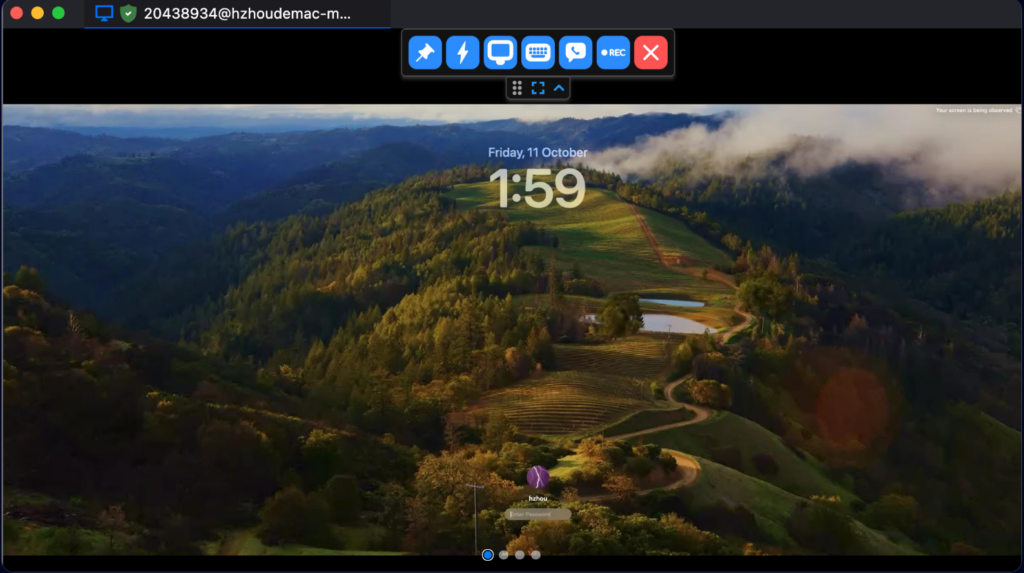
- Unattended access mode to log into a machine even when no one is there to approve the connection.
Pros
- Completely free with no time limits or aggressive commercial-use restrictions.
- Full code transparency means higher security trust compared to closed-source alternatives.
- Self-hosting fits small businesses and privacy-conscious users well.
- Solid performance even on moderate internet connections.
Cons
- The interface is simpler and less polished than TeamViewer’s.
- Self-hosting the relay server requires some technical know-how (a VPS, network configuration) – not a one-click setup for absolute beginners.
- The free public server RustDesk provides by default can slow down during peak usage compared to a big company’s dedicated infrastructure.
Installation & Setup
- Download the right build for your OS from the official RustDesk project page on GitHub.
- Install it on both machines (the one you’ll control from, and the one you want to control).
- Open the app on the target machine – you’ll see an ID number and a temporary auto-generated password.
- On the other machine, enter that ID in the “Remote ID” field, connect, then enter the password.
- For permanent access without a temporary password, enable “Unattended Access” and set a fixed password in settings.
Practical Tips
- If you’re controlling someone else’s machine (like a family member’s), enable “Unattended Access” ahead of time so they don’t need to approve every connection.
- Always change the default password to something strong if you’re using unattended access mode.
- Noticing lag? Try self-hosting a relay server on a cheap VPS – the speed difference is often noticeable.
Alternatives Worth Considering
If you want a ready-to-go solution with zero technical setup, AnyDesk or TeamViewer remain strong choices, even though they’re closed source and limit extended free/commercial use. If you specifically want an open-source alternative, “Apache Guacamole” is a more complex option aimed squarely at business environments.
FAQ
Is RustDesk safe to use?
Yes – the connection is encrypted end-to-end, and the open-source code means security issues can be found and reported by the community faster than with closed-source software.
Do I need to self-host a server?
No. RustDesk provides a free public server you can use right away with zero setup. Self-hosting is purely an optional upgrade for users who want more control.
Does it work offline on the same local network?
Yes, RustDesk supports direct local-network connections in certain configurations without routing through the internet.
Conclusion
RustDesk is an excellent pick if you’re after a free, open-source alternative to commercial remote-desktop software. It’s not the easiest for absolute beginners in every feature, but it strikes a rare balance between being fully free, giving you control over privacy, and delivering solid performance.
Link: RustDesk


