
AB Download Manager is a completely free, fully open-source download manager built to be a genuine alternative to tools like IDM – no cost, no licensing restrictions.
What is AB Download Manager?
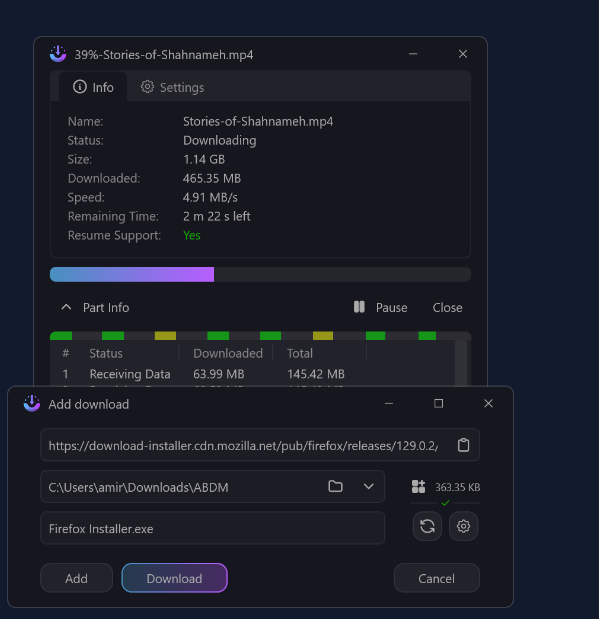
It’s a download manager for Windows, macOS, and Linux that splits files into parallel segments during download to boost speed, with full support for resuming interrupted downloads. The code is entirely open source and available on GitHub, meaning complete transparency in how the app works and no hidden ads or bundled unwanted software.
Why choose it over IDM?
IDM is a solid tool, but it’s paid, requires an annual license, and its trial nags you with a persistent reminder popup. AB Download Manager delivers the same core value – parallel-segment acceleration, resume support, automatic file sorting – for free and with no time restrictions.
Key Features
- Faster downloads via splitting files into parallel segments downloaded simultaneously.
- Resume after interruption – no need to start over when the connection drops or the app closes.
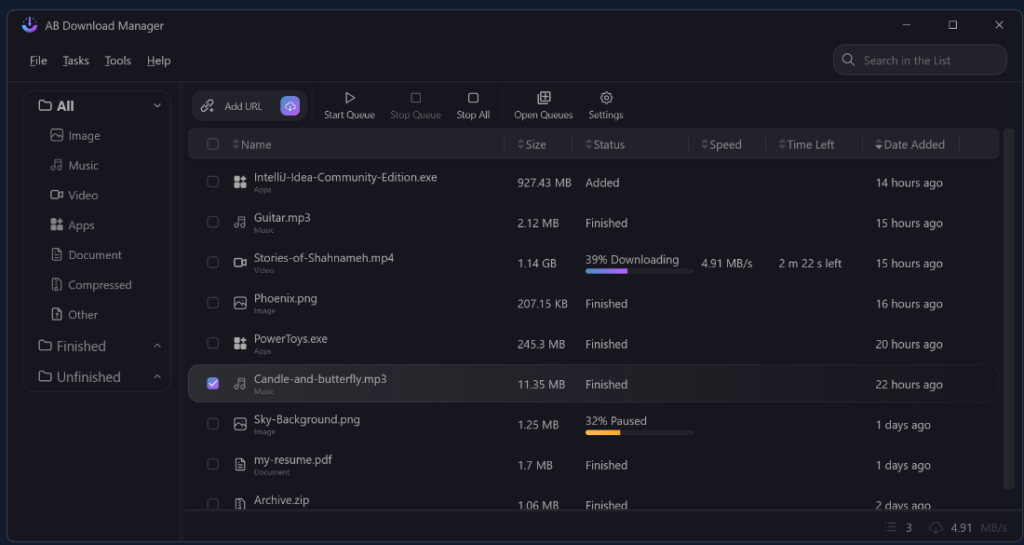
- Automatic file organization by type: video, audio, programs, documents.
- Clean, ad-free interface, with full multi-language support.
- Open source, so there’s no spyware or hidden add-ons.
- Browser integration to automatically capture download links.

Pros
- Completely free with no expiring “trial” version.
- Fully open source – anyone can audit the code.
- Supports all three major operating systems with roughly equal features.
- No annoying ads or popups during use.
Cons
- Smaller user community than IDM, so technical support relies on open-source forums rather than official commercial support.
- Some advanced features found in IDM (like deep integration with certain video sites) may not be as robust.
- Updates are less frequent than a commercial product with a dedicated team.
Installation
- Go to the project’s official GitHub repository (search “ab-download-manager”).
- Download the build for your OS from the Releases page.
- Install it the normal way for your platform.
- On first launch, enable the bundled browser extension to auto-capture download links.
- Set your default save folder and file categories in settings as you like.
Tips for Best Use
- Enable and raise the “max simultaneous connections” setting a bit if your connection is fast, for the best possible speed.
- Turn on automatic file sorting from day one so your downloads don’t pile up unorganized.
- Check the Releases page periodically for the latest updates and fixes.
Quick Comparison with IDM
| Feature | AB Download Manager | IDM |
|---|---|---|
| Price | Free | Paid |
| Source | Open | Closed |
| Multi-language | ✓ | Partial |
| Resume downloads | ✓ | ✓ |
| Parallel downloading | ✓ | ✓ |
Alternatives
If you’re comparing options, “Free Download Manager” is another popular free tool, though partially closed source, while “JDownloader” stands out specifically for handling multiple cloud-storage links, despite a less streamlined interface.
FAQ
Is AB Download Manager completely safe?
Yes – being open source means the code is publicly auditable, which reduces the chance of hidden malicious behavior.
Does it require a license or activation?
No, the app is entirely free and doesn’t need any activation key or subscription.
Can it download videos from streaming sites?
It captures direct download links through the browser extension, but its support for specialized streaming platforms is less comprehensive than some dedicated alternatives built specifically for that purpose.
Conclusion
AB Download Manager is a serious, free alternative to IDM that delivers the core functionality most users actually need at zero cost, with full transparency thanks to being open source. If you want a reliable download manager without paying for a yearly subscription, it’s worth trying.
Link: AB Download Manager


