
Installing Windows fresh or trying out Linux? You need a bootable USB drive. Rufus makes one in minutes, free, portable, no install needed.
The app takes an ISO file (a Windows copy or a Linux distro) and preps your USB drive so your PC can boot straight from it, instead of loading your normal system.
What it does best
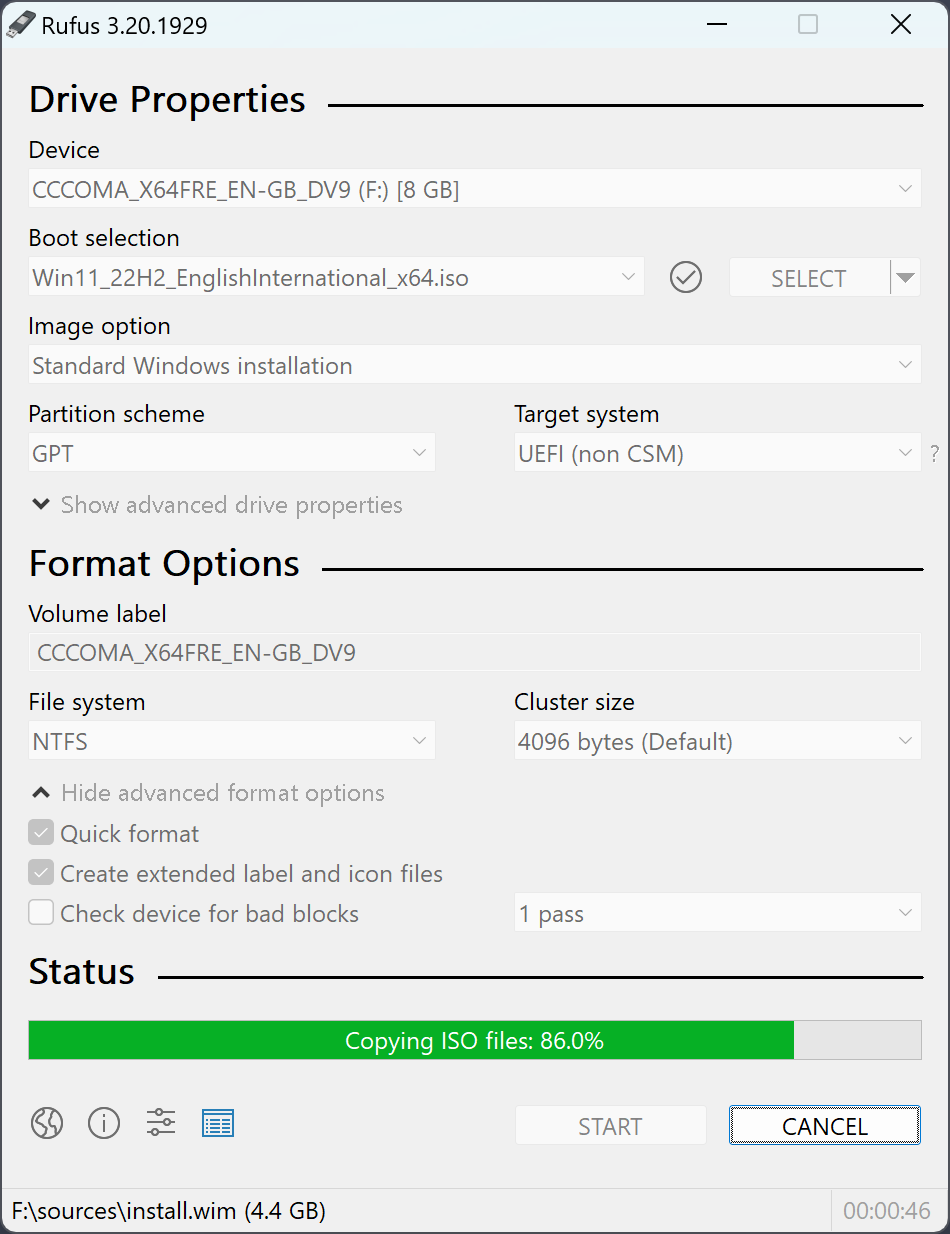
- Supports everything: every Windows version, and popular Linux distros (Ubuntu, Fedora, and more).
- Very fast: preps the drive several times quicker than most alternatives.
- Auto-detects your system: sets the right UEFI or Legacy config for your specific machine.
- 100% portable: a single executable, nothing to install.
Getting started
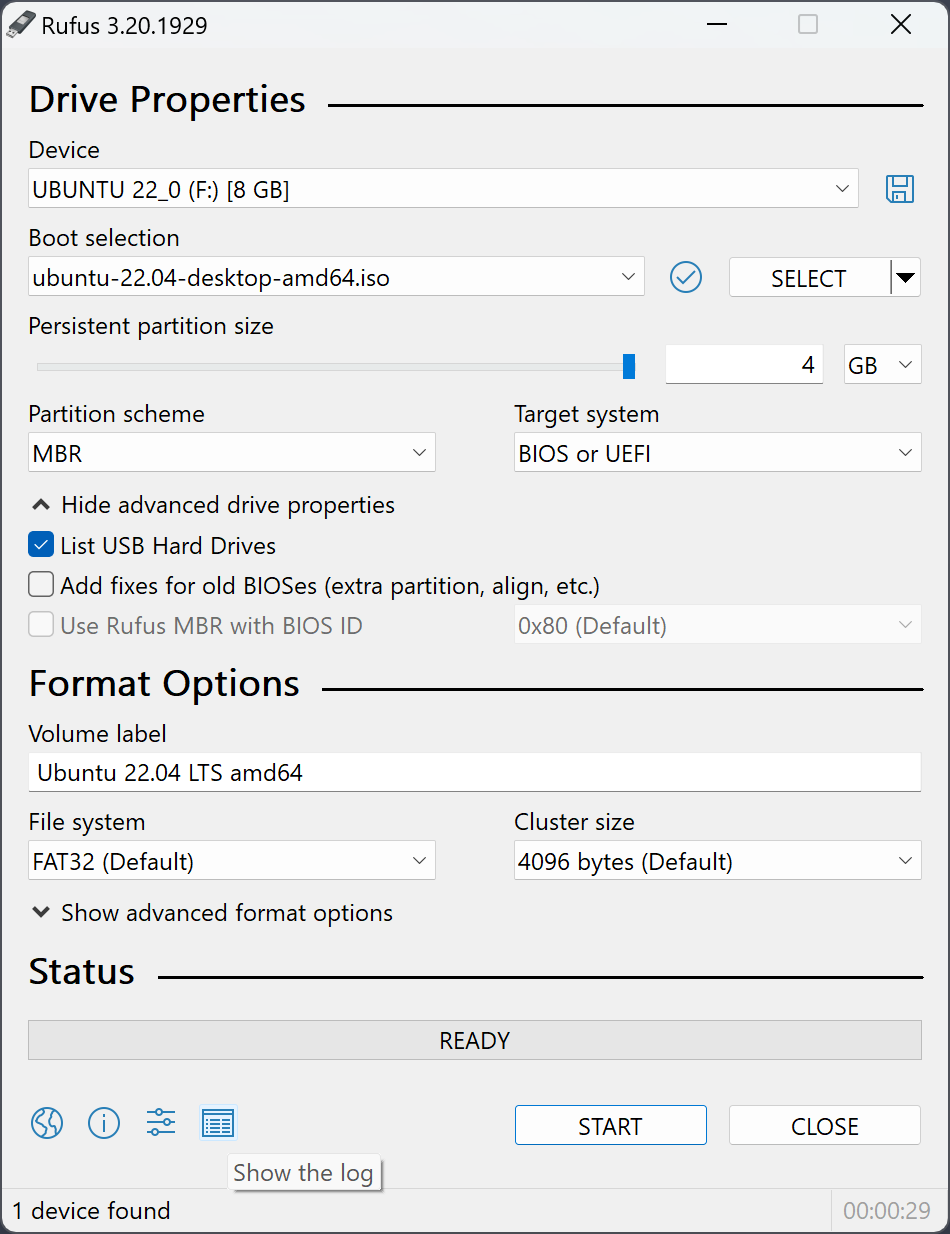
Plug in the USB drive (empty, since it wipes everything on it), open Rufus, pick your ISO file, confirm the partition scheme (GPT for modern UEFI machines), and hit Start.
FAQ
Does it erase the whole USB drive?
Yes, the drive needs to be empty or hold nothing important, since the process formats it completely.
What size USB drive do I need?
8GB covers most Windows and Linux images. Some larger ISOs need 16GB.
Does it work on Mac?
No, Rufus is Windows only. balenaEtcher is a solid alternative on Mac.
Bottom line
Anyone who reformats a PC or installs a system from scratch needs this tool sooner or later. Simple, reliable, and completely free.
Link : rufus.ie


